Runs 100% in your browser
GIF Compressor
Free, no sign-up, no watermark, nothing uploaded — every tool on this site works that way, and the GIF compressor is no exception. Drop in one GIF or a whole batch, set a quality level or an exact size cap, then download. Below the tool: what makes a GIF heavy, which method cuts the most, and how to compress GIFs online down to an exact size.
Drop images here or click to browse
Animated GIF — unlimited batch
Select ImagesYou can also paste with Ctrl / Cmd + V
Add more images
Target size mode: starting from your quality level, the compressor steps through stronger settings until the GIF stays under the limit.
Output stays a standard animated .gif — animation, transparency and looping included. Every pass starts with lossless frame optimization; the quality slider sets how aggressive the lossy pass gets.
- Files never leave your device
- Free, no watermarks, no paid tier
- No sign-up, no size caps
How It Works
How to Compress a GIF
These are the steps this tool automates: pick a target, pull the levers in order, check the numbers.
Set the Target First
Start from a number: the platform's upload cap, or a KB budget of your own. A concrete target tells you when to stop and which levers you'll need — that number goes straight into the GIF compressor's size box.
Pull the Levers in Order
Trim and crop first, then scale down the dimensions, then cut colors, then drop frames. Each lever attacks a different part of the file, so working in that order saves the most at each step.
Verify, Then Download Once
Compare before and after sizes before you save — this page shows that comparison per file, with a ZIP download for whole batches — and never recompress a GIF that's already compressed.
The Method Matrix
What a GIF Compressor Changes in the File
Six levers, each aimed at one storage term of the GIF89a format — the anatomy every gif optimizer works from. Expected savings range from 10–30% on flat-color diagrams to 70–90% on video-derived clips in gif.pi7.org's published benchmark, so match the lever to the GIF.
Cut the Color Table
A GIF's color table tops out at 256 entries. That ceiling is set by the official GIF89a specification , and fewer colors narrow every pixel index as well. Flat art and logos often drop to 64 colors with no visible change.
Drop Frames, Merge Duplicates
Every frame stores its own pixel indices, so file size scales with frame count. Duplicate frames merge for free. Cutting 30 fps to 15 halves the frame data, per BulkPicTools' published figures, at the cost of choppier motion.
Lossy LZW Compression
GIF's built-in LZW compression is lossless. Lossy LZW softens near-match colors between frames before encoding, so the index stream repeats more and shrinks further: 30–50% off typical animations, per ezgif's figures.
Scale Down the Dimensions
Dimensions multiply into every frame. Halving a GIF's width took about 75% off the file in BulkPicTools' tests, since each frame then stores a quarter of the pixels. A loop headed for a chat window doesn't need full width.
Compress to an Exact Size
Type the cap, 8MB or 256KB, and the compressor steps through stronger settings until the file fits under it. This site's image compressor ships that exact-KB mode today, and the GIF compressor inherits it.
Trim Before You Compress
Cut dead intro and outro seconds before anything else: dropped time removes whole frames for free. Then compress once, at the end. Recompressing an already-shrunk GIF compounds the loss.
The Format Itself
Why GIFs Get So Large
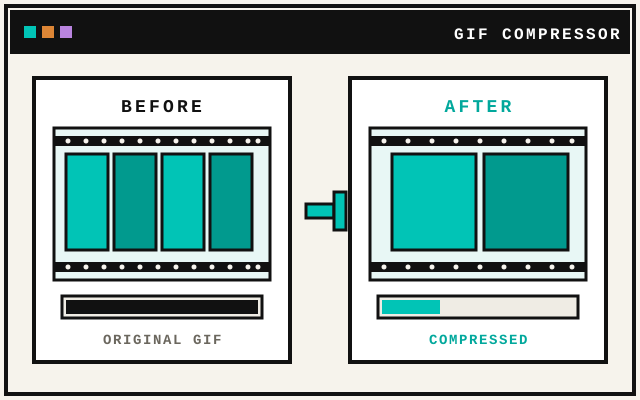
A GIF is a 1987 CompuServe format doing a video's job in 2026. The file holds one color table capped at 256 entries, then LZW-encoded pixel indices for every frame. Size explodes right there: hundreds of frames each store the full image, so total bytes multiply by frame count and by dimensions. A ten-second animation runs 10–30MB as a GIF where the same clip as MP4 lands near 1–2MB, per BulkPicTools' comparison.
So when your GIF file is big, one of three culprits is doing it: too many frames, oversized dimensions, or a full 256-color palette. Fix them in that order — it's the sequence a good GIF compressor applies — and you reduce GIF file size on the first pass. The same math matters on the web: a multi-megabyte hero GIF drags page weight, load time and Core Web Vitals down with it.
Platform Limits
Compress a GIF for Discord, Slack and Email
Most GIF compression starts at an upload cap somewhere. Aim about 0.5MB under the limit to leave room for re-encode variance, then pick the levers that close the gap.
| Platform | Upload limit | Aim for | How to get there |
|---|---|---|---|
| Discord | — | 0.5MB under the cap | Scale to 70%, skip frames if still over |
| Slack | — | 0.5MB under the cap | Cut colors first: chat GIFs tend to be flat art |
| Twitter / X | — | 0.5MB under the cap | Scale to 70–80% plus lossy LZW |
| — | 0.5MB under the cap | Trim the loop first, then scale | |
| — | Whatever the cap is, 0.5MB under it | Scale to 50–60% and drop every second frame |
Use Cases
Make a GIF Smaller, Wherever It Goes
Same format, different ceilings: chat caps, email gates, page-weight budgets. A smaller GIF clears them all.
Discord & Chat
Meet the app's upload cap with a loop that still plays smooth.
Email Attachments
Get the GIF under the mail server's gate so the message sends.
Social Feeds
Post loops that autoplay on mobile data instead of stalling.
Websites
Swap a heavy hero loop for a light one and the page paints faster.
Stickers & Emoji
Fit tight sticker-size budgets with colors and frames to spare.
Docs & READMEs
Embed demo loops in documentation without bloating the repo.
Presentations
Drop demo GIFs into decks that still open on older laptops.
Archives
Keep a library of loops at a fraction of the disk space.
FAQ
GIF Compressor FAQ
Savings, quality, limits and privacy, with the sources named.